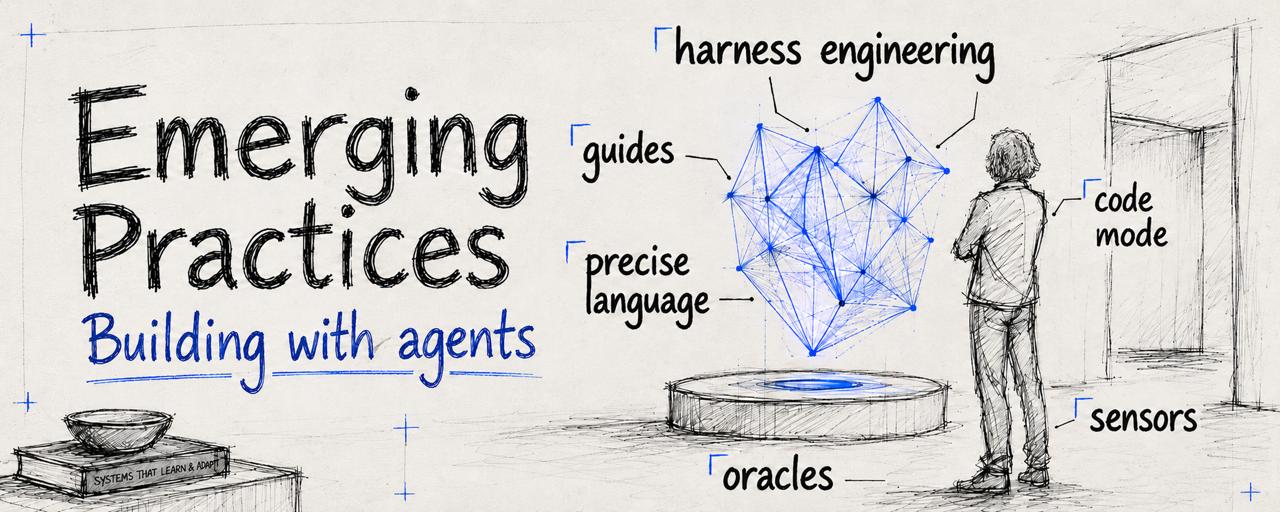
As AI makes building easier, taste becomes the differentiator.
But how do you actually express that taste?
What are the decision points, skills, and practices that let you channel judgment into the things you build with agents?
That’s why I’ve been having regular conversations with @bkase_, one of the heaviest AI users I know, about what it means to build well with AI.
We talk about what we’re seeing in the space: which tools are actually useful, where agents still break down, what practices are starting to emerge, and what good builders seem to understand before everyone else.
We recorded one of those conversations. It's a snapshot of what came up over the past weeks.
4 emerging practices that can help you develop and channel your taste into your work:
- Leverage shifting left for agents
- Compress intent with expert language
- Match the tool interface to the task
- Use oracles (when you can)
1. Leverage shifting left for agents1:42
The first practice came from a line @_lopopolo from OpenAI mentioned at last week’s AI Native DevCon in London.
Ryan Lopopolo’s point was that with harness engineering, you may not need to rely on shifting left in quite the same way anymore.
Initially, that might sound strange.
“Shift left” is an old software engineering idea. Imagine the software development process as a timeline: requirements, architecture, coding, testing, review, release, production.
The further right a mistake is found, the more expensive it usually is. A bug caught in production is expensive. A bug caught by a test before release is better. So shifting left means moving error detection, security analysis, and other checks earlier in the process. This matters a lot when working with agents.
Agents can write a lot of code very quickly. That means they can also go down the wrong path very quickly.
If they only find out they were wrong after a long chain of edits, tool calls, and intermediate reasoning steps, you’ve wasted tokens, time, and context.
But the interesting nuance is this: A test catching a mistake is useful. But it also means the agent already made the mistake.
Ryan Lopopolo’s blog post on harness engineering describes the broader shift well:
The important work is no longer only in the model itself, but in everything around it - the instructions, project docs, markdown files, tests, lint rules, review agents, hooks, and feedback loops that keep an agent on track.
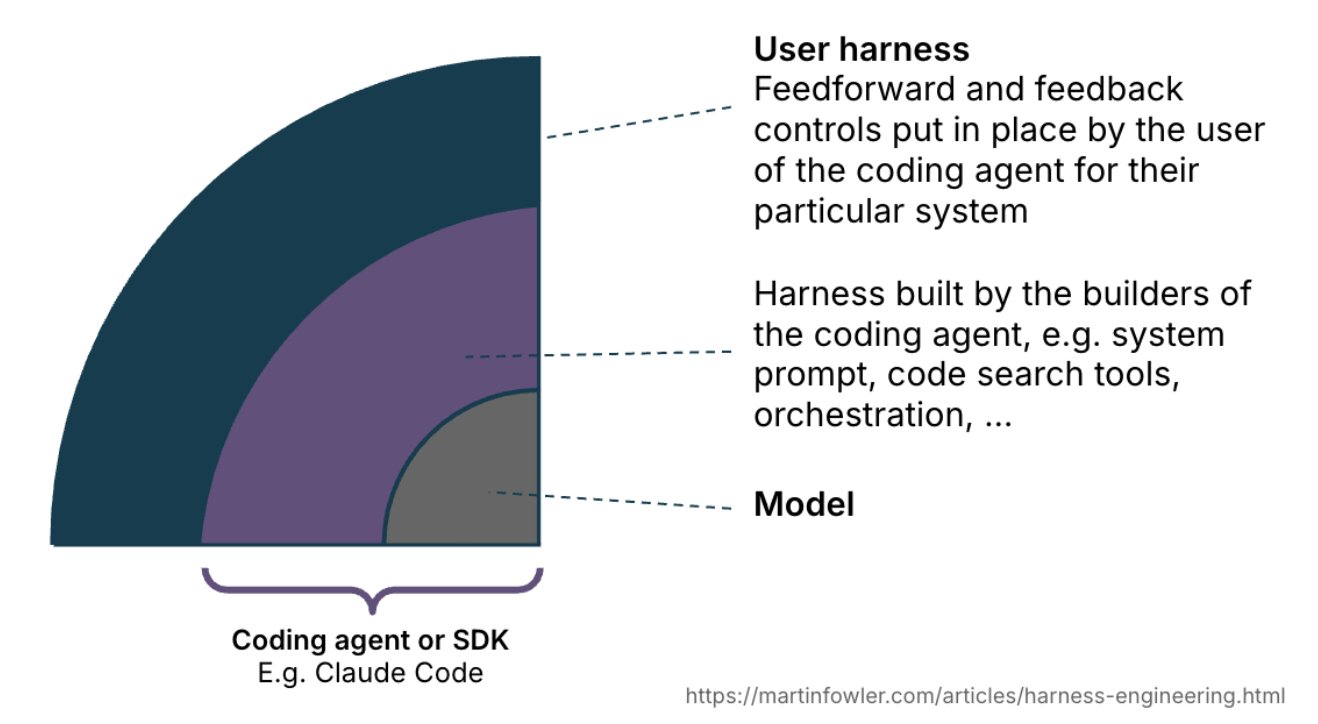
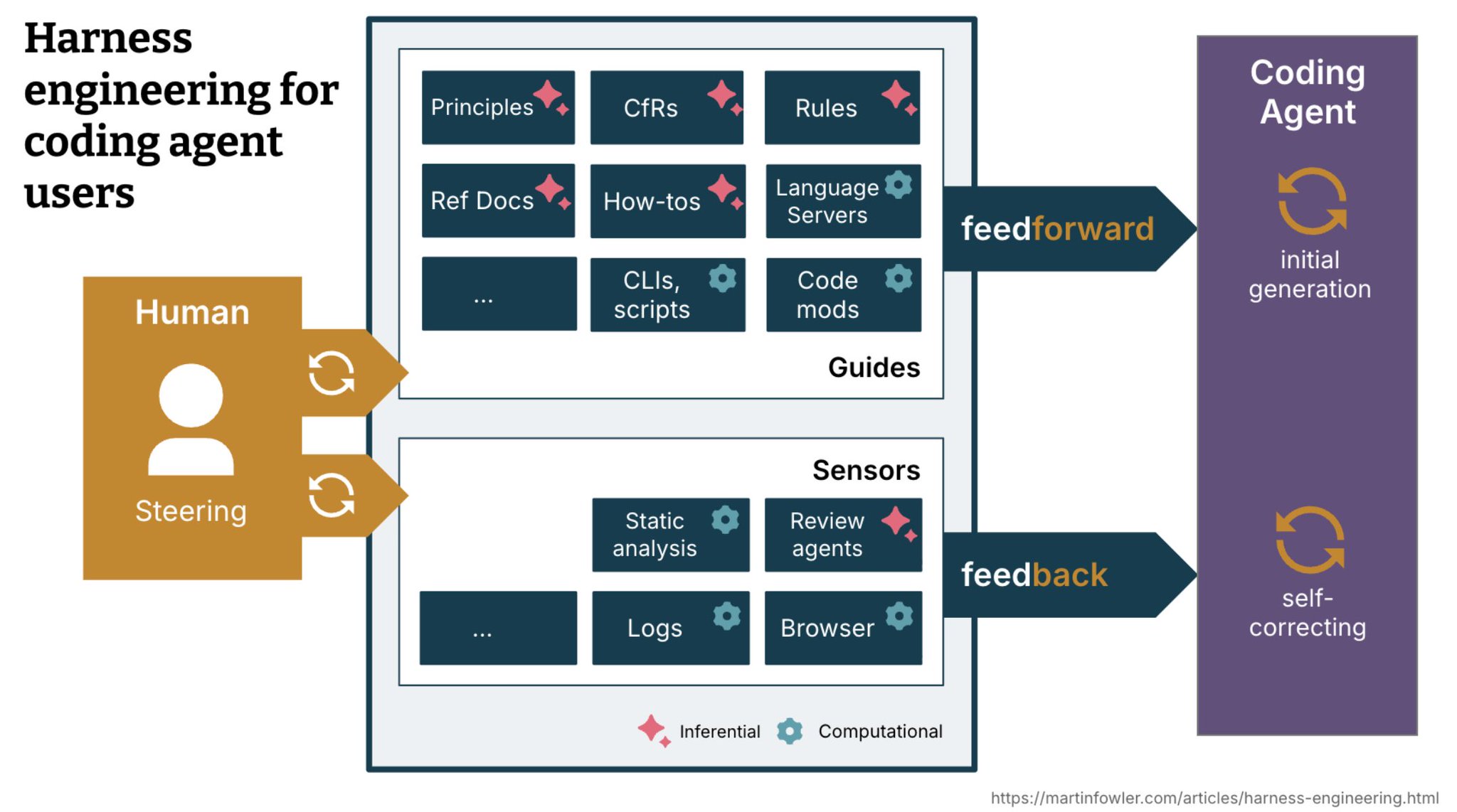
Birgitta Böckeler from @thoughtworks also talked about this at a keynote at AI Native DevCon, using the language of guides and sensors.
- Guides are feedforward. They are the things the agent sees before it starts working: agents.md, project docs, architecture notes, examples, rules.
- Sensors are feedback. They respond while the agent is working: tests, lint errors, type errors, review agents, failing checks.
Sensors are valuable. But if a sensor keeps firing, that is a sign the harness can learn. So in addition to “catching the mistake earlier.”:
Move repeated corrections from feedback sensors into upfront guidance.
The guides/sensors framework from Birgitta Böckeler is useful because it gives you a way to reason about where guidance belongs.
Should this stay as feedback the agent receives after making a mistake? Or should it become upfront context so the agent is less likely to make the mistake in the first place?
2. Compress intent with expert language13:08
The second practice came from a tweet about animation.
@emilkowalski posted that to get good animations from AI, you need to get good at telling it what you want: stagger, direction-aware animation, spatial consistency, etc.
Emil Kowalski@emilkowalskiTo get good animations from an AI you need to get good at telling it what you want: "stagger this list of items", "make this animation direction-aware", "spacial consistency", "crossfade", "layout animation". I made a motion vocabulary for this: animations.dev/vocabularyJUN 1, 2026@rauchg, Vercel’s CEO, made a broader point: education in the age of AI starts with language. Human language is becoming an API to the world.
Guillermo Rauch@rauchgThis is what education in the age of AI looks like. Start with the language: the linguistic surface is your roadmap. Much like an SDK has a set of function definitions, human language is the new API to the world.JUN 2, 2026The basic idea is simple: if you want better outputs from models, learn the language of the thing you’re building.
Expert language is a compression layer. You could say:
"I want a panel that appears on top of the current page, temporarily takes focus, darkens the rest of the screen, and prevents users from interacting with the content behind it."
Or you could say:
"Build a modal."
The second version is shorter, but carries more meaning.
If you’re building animations, learn animation language. If you’re building legal software, learn legal language. If you’re building financial software, learn financial language.
This seems obvious, but it is becoming much more important, because human language is now a more direct interface to software.
Before LLMs, knowing the right words helped, but you still had to use coding languages and translate intent into code. Now, you can go more directly from language to artifact. That makes precise language powerful.
Building upon this, you do not only have to use the language of the domain you’re building in:
You can also borrow precise language from another domain if it gives you better abstractions.
For example, say you’re designing an animation library. You might use animation language: fade, move, scale, sequence, timing. But you can also use an algebraic language of composability and laws.
An animation is something that happens over time. You can combine two animations by running them at the same time, or by running one after another.
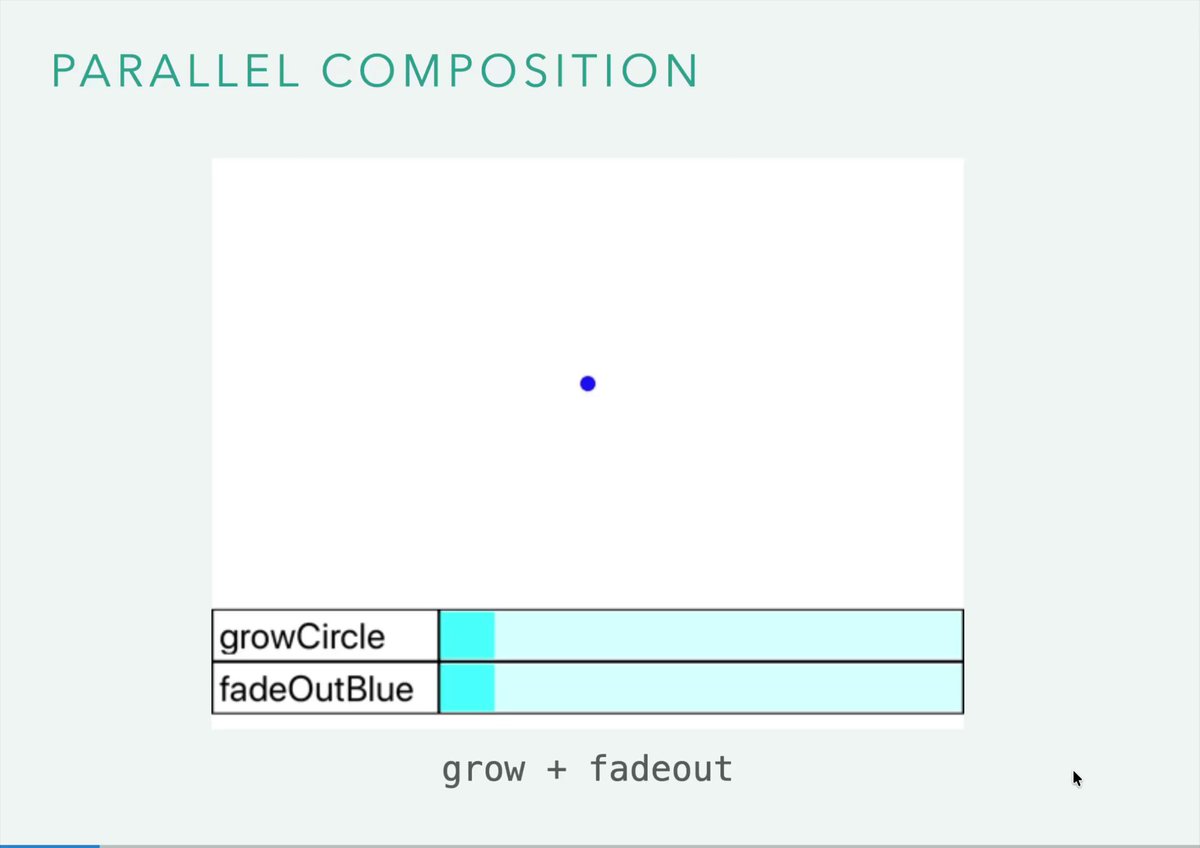
If you think of running animations in parallel as addition (+), then it starts to inherit familiar algebraic properties.
For example, addition is commutative: x + y gives the same result as y + x. Running two animations in parallel has a similar property. If one animation fades a circle out and another makes it grow, it does not matter which one you define first. The result is still a circle that fades out and grows at the same time.
 WATCH ON X ↗
Once you describe it that way, you can reason about the system through algebraic properties. Does order matter? Does grouping matter? Can one operation distribute over another?
That gives both you and the model a more compact way to think.
@bkase explored this in a talk on using algebra for software engineering and through the lens of animations.
You can see a similar pattern in EffectTS, a TypeScript library that has become increasingly popular among people building with coding agents. It handles errors, dependencies, and concurrency algebraically.
These abstractions can be hard for humans at first because they require some training to learn the language of these abstractions. But coding agents often do surprisingly well with them because the model already has so much of the underlying language and structure in its latent space.
To summarize, in addition to “using more specific terms”:
Find the languages that compresses the idea best. And practice using it
Sometimes that language comes from the domain itself. Sometimes it comes from another domain with better abstractions.
3. Match the tool interface to the task25:58
The third practice came from the ongoing discussion around MCP, CLI tools, Bash, and code mode. The real question underneath all of it is:
What is the right interface between the agent and the tool?
MCP made it easier to connect agents to external tools. Instead of hardcoding every tool directly into the agent, you can connect servers that expose tools to the agent. This created a more flexible, plugin-like ecosystem.
But then people started noticing that for some tasks, CLI tools and Bash can be more efficient.
Why? Because Bash lets the agent compose tools.
Imagine asking an agent to count the number of issues in a GitHub repo. With a simple tool-call interface, the agent might fetch the issues first. Then those issues come back into context. Then the agent counts them, or calls another tool, or reasons over the output.
That means intermediate results enter the context window.
With a CLI approach, the agent can use the GitHub CLI and pipe the result into another command that counts them. The intermediate list of issues does not need to come back into the model’s context. The agent can get back just the answer.
Fewer inference calls. Less context pollution. Fewer tokens spent on intermediate state.
But Bash has limits. Bash is good for combining CLI tools. It is not always good for expressing complex logic.
That is where code mode becomes interesting.
Anthropic’s dynamic workflows are an example of this pattern. As @trq212 wrote last week, instead of controlling subagents through many small tool calls, Claude can express a workflow through code.
Thariq@trq212A harness for every task: dynamic workflows in Claude Code — Last week, we released dynamic workflows in Claude Code. Claude can now write its own harness on the fly, custom-built for the task at hand.JUN 2, 2026Another example is Cloudflare’s code-mode-style approach to search. Instead of exposing every possible search operation as a separate tool call, @mattzcarey describes how models can use JavaScript to describe a more flexible search operation.
Matt Carey@mattzcareyCode Mode is all you need, very excited about this direction for MCP blog.cloudflare.com/code-mode-mcp/FEB 20, 2026For a more unusual example: @bkase_ used code mode for a custom GameBoy debugger so that agents could effectively debug a GameBoy ROM he’s working on.
In a debugger, you might want to set conditional breakpoints, inspect memory, react to changes in hardware state, and execute logic when certain instructions are hit.
Sure, you can expose that through a CLI.
But if the logic gets complex, a JavaScript interface can be much more expressive. The model can send a small program to the tool instead of dragging every intermediate observation back into its context window one step at a time.
That’s the broader point. For simple tasks, a normal tool call may be enough. For composable tasks, CLI or Bash may be better. For complex tool control, code mode may be better.
Give agents the right way to control tools.
Not every tool should be exposed to an agent in the same way. The tasteful decision is matching the interface to the task.
4. Use oracles (when you can)40:42
The fourth practice came from @justincormack, former CTO of Docker and someone who has been experimenting deeply with vibe coding.
While building an S3 clone, one part of his process stood out: the use of an oracle.
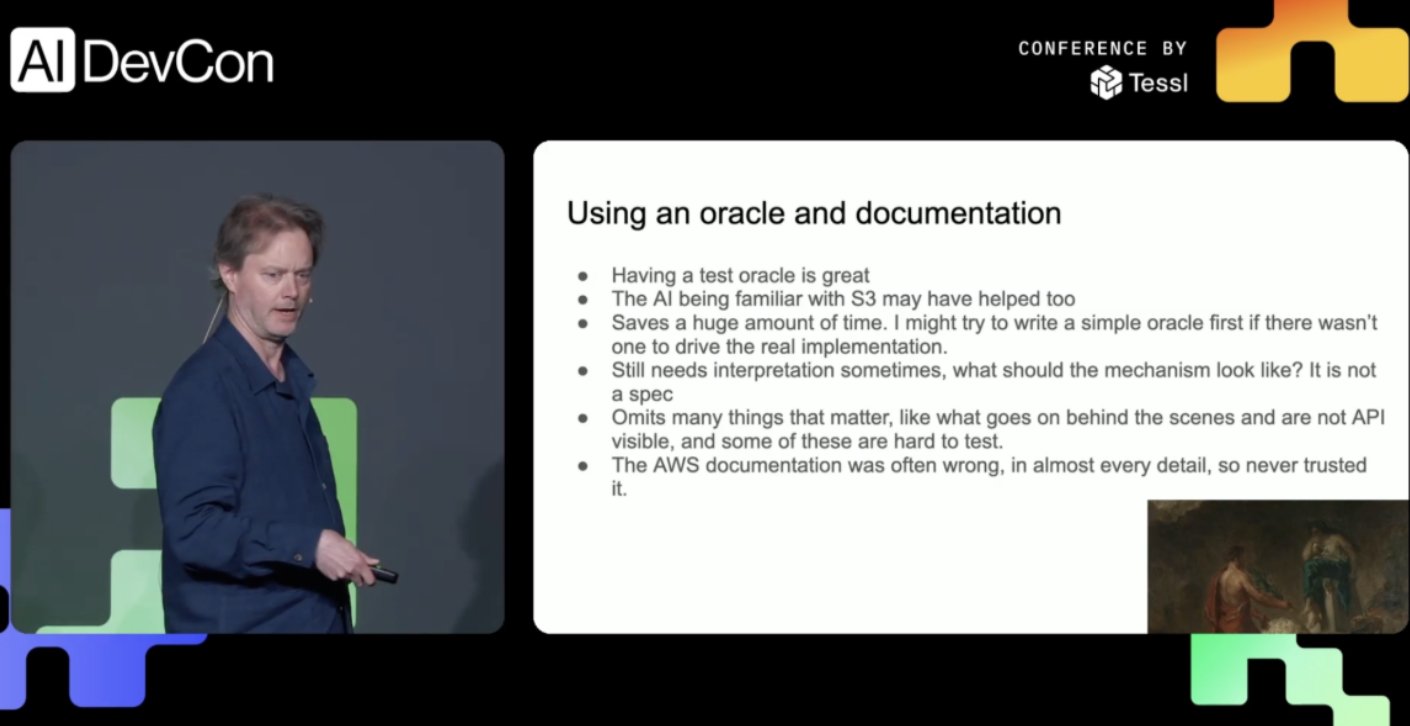
An oracle is a known-good reference point. It tells the agent what “correct” or “good” looks like. Justin told his coding agent to test his S3 API by comparing behavior to the ground truth S3 behavior, which sometimes conflicted with Amazon’s official documentation.
This can be incredibly powerful when building with AI.
The interesting thing though is that oracles don’t have to be existing products. You can create your own.
For backend systems, you might build a simple local version that behaves exactly the way you want, even if it is slow or ugly. Then, when you ask the agent to build the scalable version, the simple version becomes the oracle.
For frontend work, you might build a static UI that looks exactly right before adding real functionality. That static version becomes the oracle for visual taste: spacing, hierarchy, layout, motion, feel.
For data systems, you might create a small gold-standard dataset with expected outputs. The point is that the oracle preserves intent.
As systems become more complex, agents can drift away from what made the simple version good. An oracle keeps them anchored.
Before you scale complexity, preserve what good looks like.
Channeling Your Taste
If we zoom out, all four practices point in the same direction.
Besides using good models, building well with AI is also about learning how to express taste in forms the model can use.
Some ways to express your taste are through
- the language, e.g. when you compress intent with expert terminology.
- the harness, e.g. when you move repeated mistakes from feedback sensors into feed forward guides.
- the tool interfaces, e.g. when you decide what level of control the agent should have for the task.
- oracles, e.g. when you give the model a reference for what good looks like.
If you’re wondering about
How do I design the system around the model so my taste can actually flow into the work?
That is the layer @bkase_ and I are exploring all the time.
We recorded the full conversation about last weeks’ emerging practices here:
Christine Yip@christinetyipIn the age of AI, taste is the differentiator. But how do you channel taste into the things you build? @bkase_ and I discuss 4 emerging practices: Shifting left inside agent harnesses, expert language, tool interfaces, and oracles.JUN 12, 2026You can also listen to it on YouTube: https://www.youtube.com/watch?v=14FAQcFTAtg
References / links for the things we discussed:
- @_lopopolo's talk at AI Native DevCon and OpenAI's post on harness engineering
- Birgitta Böckeler's keynote on harness engineering, guides, and sensors
- @emilkowalski's motion vocabulary for AI-generated animation
- @rauchg on human language as an API to the world
- @trq212 on Anthropic's dynamic workflows
- Cloudflare's code-mode-style search interface
- Effect TS
- @bkase's talk and blog on using algebra for software engineering and blog post, and for animations
- @bkase building a Game Boy debugger using code mode
- @justincormack on using oracles while building an S3-like system
If you’ve also found any practices that help you build better with AI, we’d love to hear them.